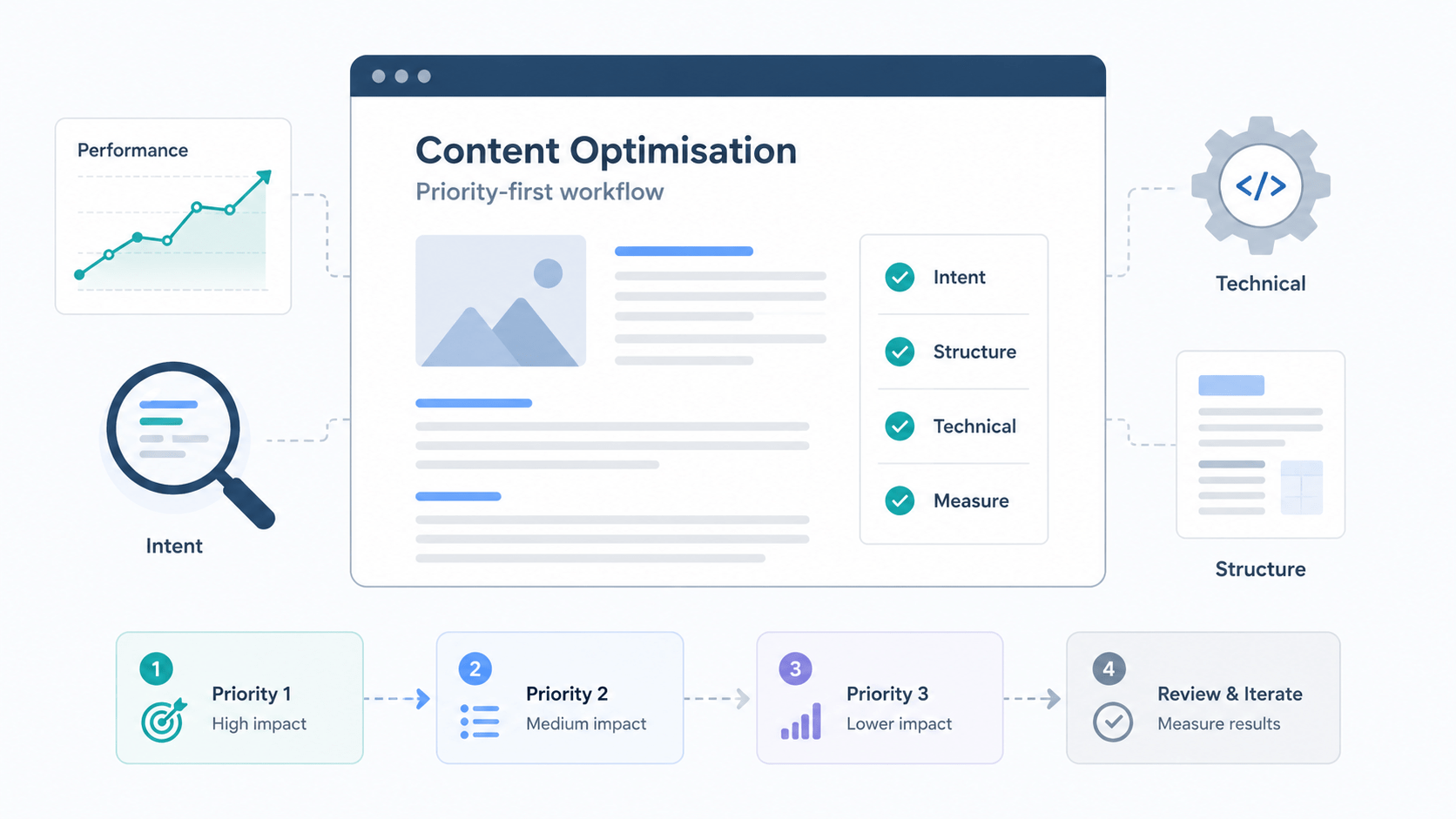
Many site owners treat content optimisation as a checklist you run once, but meaningful gains come from making selective, priority-driven changes. This guide gives a five-step workflow you can apply immediately: pick the pages worth the effort, match content to searcher intent, improve on-page structure, fix technical blockers, and measure results on a schedule. Each section contains practical checks you can run in a single audit and repeat at regular intervals.
Which pages to optimise first
Not every page needs the same treatment. Focus time on pages that already attract organic traffic or can produce business value with modest work, and deprioritise thin pages with no realistic potential.
Practical checklist
- Identify pages with existing organic traffic or strong conversion rates, using Google Search Console and analytics. These are often the fastest wins.
- Spot thin or underperforming pages that target relevant queries but show low impressions or poor rankings, these have ranking potential with better coverage.
- Weigh business value, for example pages that drive conversions, lead generation or important brand visibility, even if traffic is modest.
- Use simple signals to rank work: recent traffic trends, impressions and CTR from Search Console, referral backlinks, and whether content is up to date.
When a page meets two or more of these criteria, it usually moves to the front of the queue. Conversely, pages with no impressions, no backlinks and no business value can be archived or combined rather than optimised.
Quick scoring method
Use a repeatable mini-formula to assign High, Medium or Low priority. Score three dimensions 0 to 3, total 0 to 9.
- Traffic 0 to 3: 3 if organic clicks are growing or >100 monthly, 2 if steady 30 to 100, 1 if <30 but some impressions, 0 if none.
- Intent fit 0 to 3: 3 if search intent matches a conversion or strong business goal, 2 if it supports awareness, 1 if tangential, 0 if irrelevant.
- Business value 0 to 3: 3 for pages tied to direct conversions or paid offers, 2 for lead magnets or high-value information, 1 for low-value content, 0 if disposable.
Totals
- 7 to 9 High priority, optimise now and measure changes.
- 4 to 6 Medium priority, schedule optimisation in the next review cycle.
- 0 to 3 Low priority, consider consolidation or no index.
Keep the scoring sheet simple, record the top three reasons for each score, and revisit after 90 days to avoid sunk-cost work.
Match content to what searchers really want
Good optimisation aligns what you publish with the user intent behind queries. That means choosing the right format and the correct depth of coverage, not just stuffing keywords.
Step-by-step mapping
- Classify intent: informational queries need guides, transactional queries need category or product pages, navigational queries need clear brand or location landing pages, commercial investigation benefits from comparisons and reviews.
- Choose the content format accordingly. If SERPs show lists or featured snippets, use concise steps or numbered lists. If they show videos, consider a short explainer plus transcript.
- Map primary and secondary phrases to subtopics and questions, for example use the main phrase in the title and headings, and place related phrases in H2s or Q and A blocks.
- Survey competitor SERP features to set scope. If the top results include “People also ask” and FAQs, cover those questions directly. If top pages are long form, match the depth and add original examples or updated data.
- Capture natural language prompts and question phrasing to support AI and voice results. Include short direct answers near the start and natural conversational variations in headings and paragraph text.
This approach reduces wasted effort and ensures the page satisfies both users and search engines by addressing the format and specifics searchers expect.
How to expand keywords without keyword-stuffing
Broaden reach by organising content into logical subtopics rather than repeating phrases. Use related phrases, synonyms and user questions in distinct sections. For example create H2s for common questions, embed short answer paragraphs and longer explanatory paragraphs beneath them.
Tactics
- Build a small topic cluster: one pillar page and 3 to 5 subpages or sections that use different but related keywords.
- Use question data from Search Console, People also ask and forum sites to surface natural phrasing.
- Add semantic phrases and examples that make meaning clear to both humans and algorithms, for instance “best CMS for small business” and “CMS comparison for small business budgets”.
- Keep density natural. If a phrase starts to feel repetitive, replace later occurrences with pronouns or synonyms and rely on headings and structured content to signal relevance.
Organising related phrases into clear subsections improves readability and ranking potential without triggering keyword-stuffing.
Write and structure pages so people and search engines can use them
On-page structure is where technical and editorial work meet. A few focused changes produce big UX and SEO gains.
Practical checklist
- Craft an intent-aligned title and meta description that reflect the page purpose and encourage clicks, include the primary phrase early and a clear benefit in the description.
- Use headings to create a logical outline for scannability and topic signalling. Each H2 should represent a distinct user need or subtask.
- Place the primary topic early, and answer the main question within the first 100 to 150 words with a concise, useful summary.
- Add semantically related phrases and short question answers throughout to capture variations and long tail queries.
- Optimise images for dimensions and file size, use descriptive alt text for accessibility and SEO, and add captions where they explain the visual.
- Place internal links to related pages with descriptive anchor text, guide users to next steps and distribute authority across the site.
These are the pieces search engines expect to find and the elements readers use to decide whether to stay.
Microcopy that increases engagement
Small pieces of text influence whether a user reads on. Include the right microcopy in three places.
Intro
- Start with a one or two sentence summary that answers the query and explains what follows.
CTAs
- Use clear, action-led CTAs such as “Compare plans” or “Download the checklist”, placed after useful sections rather than only at the page end.
Summaries and next steps
- End with a short “What to do next” bullet list or links to related resources to reduce bounce and increase dwell time.
Examples of good microcopy are specific, outcome-focused and aligned with user intent, not generic prompts. Test small variations and track CTRs from search and internal pages to see what resonates.
Technical and performance fixes that unblock ranking gains
Technical problems can prevent even excellent content from ranking. Use this diagnostic checklist to identify fixable issues and when to escalate to development.
Checklist with fixes
- Page speed: check largest contentful paint, total blocking time and cumulative layout shift. Fix by reducing image weight, deferring non-critical scripts and enabling browser caching.
- Mobile usability: test on several devices and use Search Console mobile reports. Fix layout breakages, font size issues and tap target spacing.
- Canonical tags, redirects and duplicate content: ensure pages have correct canonicals, use 301 redirects for removed pages, and avoid multiple similar pages competing for the same query.
- Structured data: implement only accurate schema that reflects the page content, for example FAQ or HowTo, and validate with the Rich Results Test.
- Indexing signals: verify robots.txt, sitemap entries and noindex tags. For multilingual sites, confirm correct hreflang use.
Escalation notes
- For complex JavaScript rendering issues or site-wide speed problems involve a developer and provide a prioritised list of resources by impact.
- Use server logs and Lighthouse reports to show concrete problems and their impact on metrics.
Low-effort wins for performance
Quick changes that commonly reduce load time
- Compress and serve properly sized images, use modern formats such as WebP where supported.
- Implement lazy loading for images and below-the-fold media to reduce initial payload.
- Set a basic cache policy via cache-control and use a CDN for static assets to shorten round-trip times.
- Remove or defer unused third-party scripts, and combine or minify CSS and JS where safe.
- Preconnect to critical origins for fonts and APIs to shave off a few hundred milliseconds for repeat visits.
These steps often produce measurable speed improvements in a few hours and reduce friction for users and crawlers.
Measure results and keep content working long-term
Optimisation is ongoing. Put simple KPIs and a review rhythm in place so you can tell if changes work and decide when to refresh content.
Monitoring plan
- Which metrics show progress: organic clicks and impressions from Search Console, CTR, ranking positions for target queries, on-page engagement such as time on page and scroll depth, and conversions or leads.
- Set testing windows: allow 4 to 12 weeks for SEO changes to settle depending on page authority and keyword volatility.
- Run small experiments: headline variations, meta description tweaks and layout changes. Limit tests to one major change at a time to isolate impact.
- Refresh versus rebuild: refresh when the content is accurate but stale, or when new questions appear. Rebuild when intent has shifted, the page structure cannot be improved incrementally, or engagement is consistently poor.
- Use A/B testing sparingly. Interpret results in the context of seasonality and broader SERP movement.
Keep a change log so you can link observed metric shifts to specific edits rather than guessing.
A simple 90-day review cycle
Quarterly checks to keep a content set healthy
- Week 1: Pull a report of organic clicks, impressions, CTR and top queries for the pages you optimised.
- Week 3: Identify queries gaining or losing traction and flag pages that need minor content additions or headline updates.
- Week 6: Run technical checks on any pages with traffic drops for speed, indexation or canonical problems.
- Week 10: Prioritise pages for refresh based on new query trends and business goals, and add them to the next editorial schedule.
This cadence balances observation and action, preventing both neglect and unnecessary rewrites.
If you want a practical next step, run a five-minute page triage using the prioritisation checklist above, then book a short audit with STRINGERSEO to turn the highest-priority pages into a staged optimisation plan that fits your resources.
Frequently asked questions
What is an example of content optimization?
An example of content optimisation is updating a product landing page that ranks on page two for a target query. First, improve the title and meta description to reflect the user’s intent and include a clear benefit. Then expand the page to answer common customer questions, add a comparison table if competitors use that format, compress large images to speed loading, and add internal links from relevant blog posts. After deploying changes, monitor clicks, impressions and CTR for several weeks to verify improvement.
What are the 5 C’s of content?
The 5 C’s of content commonly refer to clear, concise, compelling, credible and consistent. Clear means the message is easy to understand. Concise means avoiding unnecessary length. Compelling ensures the content addresses user needs and motivates action. Credible means accurate information with appropriate sources or evidence. Consistent covers tone, format and publishing cadence across pages. Applying these principles makes content more usable and more likely to perform in search.