Google AI Overviews are short, AI-generated snapshots that summarise a search topic and point to source links. For people searching, they speed up orientation on a complex subject. For site owners, they can drive clicks or shape how content is presented to users. Expect useful quick summaries, but not perfect accuracy or editorial control over what appears.
What a Google AI overview is and where you’ll see it
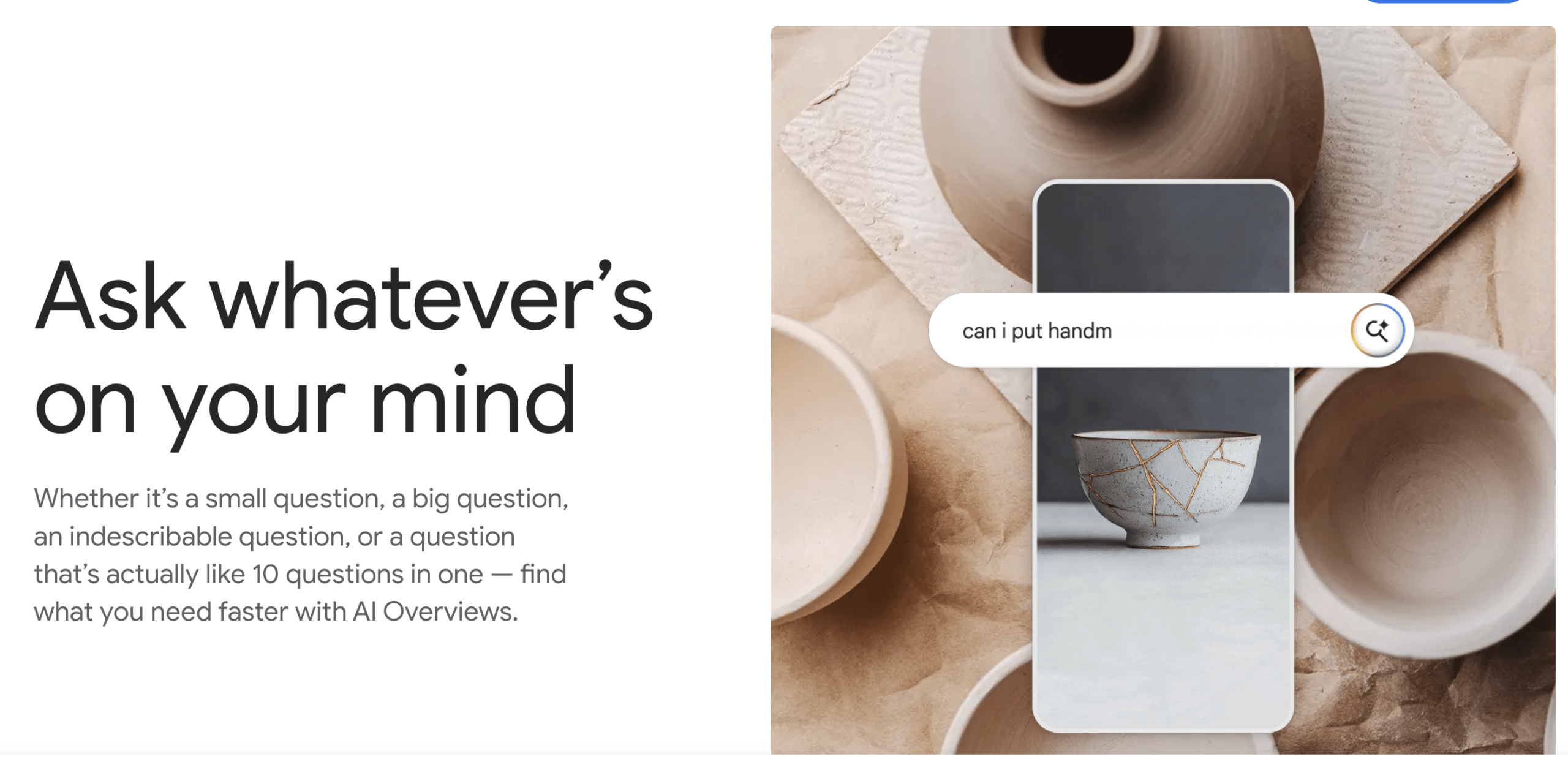
An AI overview is a concise, automatically generated summary created to give searchers a quick sense of a topic, question or comparison. It draws on content that Google has indexed and highlights what the model considers the most relevant points, then supplies links to the pages it used. The feature is intended to help people decide whether to read further and to surface primary sources quickly.
Typical placement is inside the search results page, near the top or within a results module. You may see it as a box or panel labelled to indicate an AI summary, and it often appears for broader, information-seeking queries rather than for highly transactional searches. The intended benefit is faster orientation, letting users skim the gist before diving into source pages.
At a glance: what the snapshot contains
- A short plain-English summary that condenses key facts or steps.
- Bullets or highlights to show main points or options.
- Direct links to the source pages the model used, sometimes with brief excerpts.
- Occasionally, suggested follow-up questions or next steps to refine the search.
How these summaries are produced, strengths and limitations
The high-level production process combines a language model and indexed web content. The model analyses pages Google has crawled, identifies recurring or high-signal information, and generates a readable summary. Source links aim to provide traceability so users can check original material.
Strengths include speed, the ability to condense long or scattered information, and a helpful framing for unfamiliar topics. Limitations are real, because models can omit nuance, merge conflicting claims, or present dated information as current. Errors happen when the underlying sources are themselves unclear, or when the topic is new and reliable coverage is sparse.
When an overview is likely to be reliable
Overviews tend to be more dependable when multiple reputable sources agree on the facts, such as well-established scientific definitions, historical events or mature product comparisons. Recent authoritative pages with clear dates and citations reduce the risk of factual drift. If the panel lists transparent links that match its claims, that is a good sign.
When to be cautious
Exercise caution for breaking news, fast-moving regulatory changes, highly technical specifications, contested medical claims or any topic where nuance is crucial. When source links are absent, vague, or point to opinion pieces rather than evidence, do not treat the summary as definitive.
Practical ways to use an AI overview in everyday research
AI overviews are most useful as a first step to scope a topic and to uncover primary sources rapidly. Use them to produce a shortlist of relevant pages to read in full, to extract quick comparison points when deciding between options, or to generate ideas for topics to explore further. They can be a time-saver for simple planning tasks like drafting an outline, but you should not rely on them for final decisions where accuracy matters.
- Quick fact-finding, to confirm general concepts before deeper reading.
- Planning and scoping, to create a draft outline or checklist.
- Cross-checking claims, by following the included source links and comparing coverage.
- Generating search terms or headings you can reuse when researching.
Example: scoping a quick research question
Search for a topic you want to research, read the AI summary for the main concepts it lists, and copy the most relevant keywords into a separate search. Open the source links provided by the overview and note publication dates and author credentials. Use those pages to build a short annotated list of primary sources, then expand your searches with their references and keywords.
What site owners and content teams should do
- Immediate: audit high-value pages that cover core topics, check that facts are clearly stated, and add explicit headings that summarise each section. Clear structure helps models extract accurate points.
- Medium term: improve authority signals, such as transparent sourcing, publication dates, contributor bios or references, and correct use of canonical tags and structured data where appropriate.
- Ongoing: monitor how pages appear in search, track referral traffic from summarized results, and respond to user reports or content issues using platform reporting tools.
Quick steps to start today
- Review 5 to 10 pages that match common user queries, add concise topic headings and short lead paragraphs that state the core facts.
- Ensure each factual claim links to an authoritative source or includes a clear citation.
- Check canonical tags and schema for articles and FAQs, so the indexed version is the definitive one.
Ongoing monitoring
Track changes in organic traffic and click-through rates for pages that appear near overview queries. Watch for shifts in snippet text or preview behaviour, and set periodic checks for any automated summary displays. Use Google Search Console and other analytics tools to spot unexpected drops or anomalous referral patterns, and report inaccurate overviews via the platform’s feedback options.
A short checklist for readers to verify an AI overview
- Click at least one primary source linked in the overview, and read the relevant section on that page.
- Check publication dates and author or organisation credibility.
- Compare the overview’s claims across multiple reputable sources before accepting any single definitive statement.
- Treat technical or highly consequential information as provisional until you verify with original documents or experts.
Red flags to watch for
If the overview makes a single definitive claim without links, flags a source that does not contain the cited information, or mixes different topics together, pause and verify. Rapidly changing subjects, absence of dates, or links to low-quality sites are signs the summary may be unreliable. When you see these, follow the links, look for official sources, or use alternative searches to confirm.
For a practical next step, try an AI Overview on a topic you care about and run the verification checklist above. If you publish content, use STRINGERSEO to arrange a content readiness audit or read our technical guidance on discoverability to make your facts easier to surface accurately.
Frequently asked questions
How to get AI Overviews on Google?
AI Overviews appear automatically for certain queries and are controlled by Google’s rollout decisions, so there is no guaranteed opt-in. To increase the likelihood of seeing an overview, use clear, information-seeking queries such as “overview,” “what is,” or “compare” plus the topic name, and search on different devices and regions if you do not see one. Keep in mind availability varies by location, language and account settings, so check Google’s help pages for the current coverage details.
Can you trust Google’s AI Overviews?
They are useful as a starting point, but should not be treated as a final authority. Overviews can accurately summarise consensus facts, however they may omit nuance or include dated or partial information. Always follow the source links provided, check dates and the credibility of original pages, and cross-check important claims with primary sources or expert guidance before acting.
Why did Google remove AI Overviews?
If Google has removed or paused AI Overviews at any point, typical reasons companies give include product experimentation, quality concerns identified through testing or user feedback, regulatory and safety reviews, or changes to broader search experience priorities. For the exact rationale in a specific instance, consult Google’s official communications or product blog posts, which will explain the reason and any next steps.
What can Google AI overview do?
An AI overview can quickly summarise a topic, surface key points and list source links so you can read the original material. It helps with initial scoping, quick comparisons and generating search terms or outline ideas. It cannot replace expert advice or official documents, and it does not give site owners direct editorial control over what the summary contains, so verification and good content practices remain essential.