Automating draft-ready content can cut the time it takes to publish useful content. For founder led teams, that matters because resources are tight and speed determines whether a page gets traffic or gathers dust. This guide explains what automating draft-ready content delivers, where Haplo Online fits into an existing workflow, and a clear, low-risk playbook to run a short pilot that produces publishable drafts while keeping brand control.
Why it matters for founder-led teams
Automation speeds production and improves consistency.
- Faster drafting, fewer blank pages, more predictable output, so you can test topics and iterate based on real traffic.
- Reusable templates make tone and structure consistent across product copy and category pages.
Realistic early wins.
- Product descriptions, FAQs, short blog drafts, landing page sections and meta descriptions are good first targets because they follow predictable patterns and require less specialist input.
- These content types let you prove time saved and traffic uplift without risking core messaging.
Human review remains essential.
- Automation produces strong first drafts but cannot reliably verify facts, company policy or legal claims. A human must check accuracy and brand voice before publish.
- Sensitive communications, legal or technical material must use specialist review.
What automation needs to be useful.
- Clear keywords, examples of existing pages, and short templates or briefs. The better the inputs, the closer the draft will be to publishable.
What automation won’t replace today
Automated systems are not a substitute for founder judgement on strategy, nor for specialist subject matter expertise in technical, legal or sensitive customer communications. Strategy, prioritisation of topics, crisis responses and final sign-off on claims remain human responsibilities. Treat generated drafts as labour saving tools rather than finished policy documents.
How Haplo Online fits into your existing content workflow
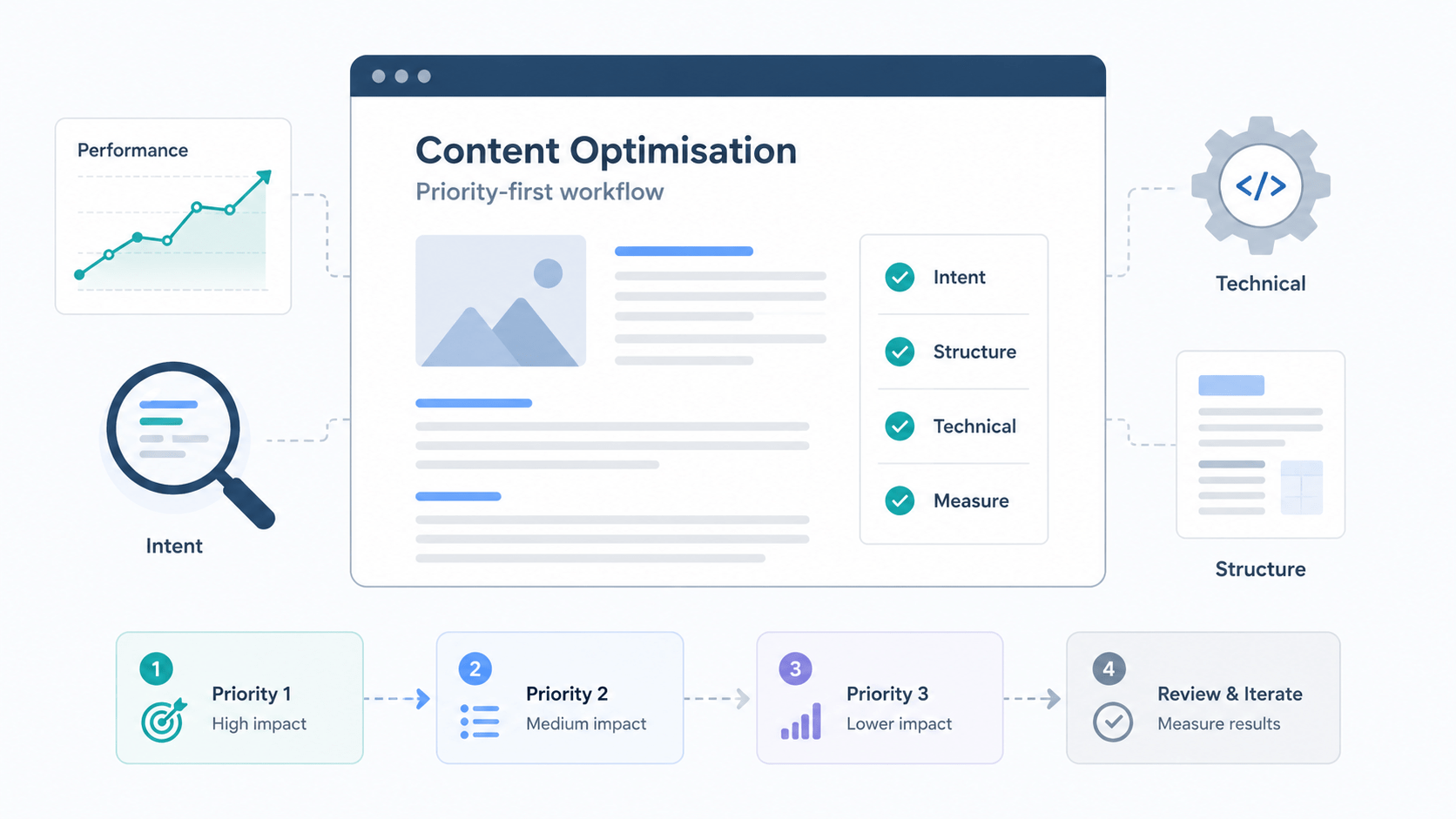
Use this numbered sequence to position Haplo Online inside a simple content loop. Below each step is who typically owns it.
- Inputs, owned by founder or content lead.
- Provide target keyword sets, competitor and SERP signals, and brand instructions.
- Processing, owned by the content lead or marketer using Haplo Online.
- Templates and prompts in Haplo generate draft text, headings and meta suggestions.
- Outputs, owned by the editor.
- Receive SEO optimised draft, suggested CTAs and meta tags for review.
- Publish, owned by the CMS editor or operations lead.
- Import edited draft into CMS, schedule and apply page template.
- Measure, owned by analytics or the founder.
- Track performance and feed data back into templates and prompt tuning.
Integration points to plan for.
- CMS import: choose a simple copy/paste or CSV/JSON export path. Small teams often start with manual imports to keep control.
- Editors and workflows: keep a staging page and a checklist for pre-publish sign-off.
- Analytics: ensure Google Analytics or your chosen tool is ready to measure traffic and conversion metrics.
Typical inputs
- Target keyword or topic brief.
- Example page that represents the desired style.
- Brand tone guide and any banned phrases.
- Competitor SERP snapshots and a list of questions to answer.
- Acceptance criteria such as word count, target KPIs and required factual sources.
Typical outputs
- An SEO optimised draft suitable for editing.
- Suggested H1 and H2 headings and brief paragraph outlines.
- Meta title and description suggestions.
- Short CTA options and internal link suggestions.
- A list of claims or facts included that need citation or verification.
Create your first automated content piece with Haplo Online
- Choose a CMS target.
- Pick one keyword or page type, for example a product detail or an FAQ page. Start small to limit risk and make measurement clear.
- Create a one-page brief.
- Include target keyword, audience, tone, key messages and acceptance criteria such as minimum unique value and facts that must appear.
- Configure brand voice.
- Enter the brand tone and provide 1 to 3 exemplar paragraphs. Set banned words and formal vs informal style.
- Run generation.
- Use a single template for this first run, keep temperature or creativity settings conservative, and generate two draft variants to compare.
- Review and edit.
- An editor or founder should fix factual errors, add proprietary details, and reshape the opening paragraph for clarity and differentiation.
- Add factual checks.
- Verify any numbers, specifications or claims against primary sources and add citations or links.
- Publish and monitor.
- Import to the CMS, schedule publication and set a short monitoring window to check indexing and initial performance.
Minimum checks before publish
- Facts and links verified, no invented statistics.
- Brand tone consistent with tone guide and exemplar copy.
- Unique value added, not a thin or duplicated page.
- SEO basics: title, meta description, H1 and 2s present and aligned with target keyword.
- Compliance checks if claims could have legal implications.
Quality control, brand safety and legal guardrails
Prioritise a small set of guardrails so automation scales without risk.
- Sign-off rules.
- Define who must approve different content types. For example, founders sign off product claims, subject experts approve technical content, and editors approve general consumer-facing copy.
- Citation and source practice.
- Require that all factual claims include a source or internal reference. Treat unsupported facts as drafts until verified.
- Prevent low-value content.
- Enforce uniqueness checks and require an explicit unique angle for each generated page to avoid duplicate or thin content.
- Versioning and audit trail.
- Keep a record of prompts, generated drafts and edits so you can revert, track improvements and learn which prompts work best.
Common pitfalls and guardrails to enforce.
- Over-reliance on defaults without custom prompts leads to generic pages.
- Publishing without a factual check risks reputation damage.
- No clear edit trail makes it hard to improve templates or address errors later.
Who should review what
- Founder: strategy, final sign-off on brand-critical pages and any commercial claims.
- Subject matter expert: technical accuracy and sensitive content.
- Editor: tone, readability, SEO basics and uniqueness.
- Legal or compliance: regulated claims, promotions or terms.
How to measure impact and scale safely
Track a focused set of metrics and run a short, controlled pilot.
- Prioritised metrics to monitor.
- Organic traffic and impressions, to gauge discovery.
- Keyword rankings for the targeted terms.
- Time saved per page and content throughput, to quantify efficiency gains.
- Conversion signals relevant to the page, such as sign-ups, leads or product purchases.
- Engagement metrics like bounce rate and average time on page.
- Pilot roadmap, four stages.
- Identify: pick 10 to 20 pages or topics that are low risk and representative.
- Run: generate drafts using a single template set and publish after standard reviews.
- Measure: collect performance data for 4 to 8 weeks, focusing on traffic, rankings and conversions.
- Iterate and scale: refine prompts and templates based on results, then scale to more pages and more templates.
Pilot checklist
- Scope: 10 to 20 pages chosen from product pages, FAQs or blog drafts.
- Timeframe: 4 to 8 weeks from first publish to first read of meaningful signals.
- Success criteria: measurable uplift in organic impressions or a clear time saving per page (for example 30 to 50 per cent faster production), plus no brand or legal incidents.
- Resources: one editor, one subject expert on call, analytics owner and founder for sign-off.
- Scale triggers: templates tuned with positive early signals and repeatable review steps documented.
Try Haplo Online at haplo.online/app or contact STRINGERSEO to discuss a short pilot and implementation support tailored to founder led teams.