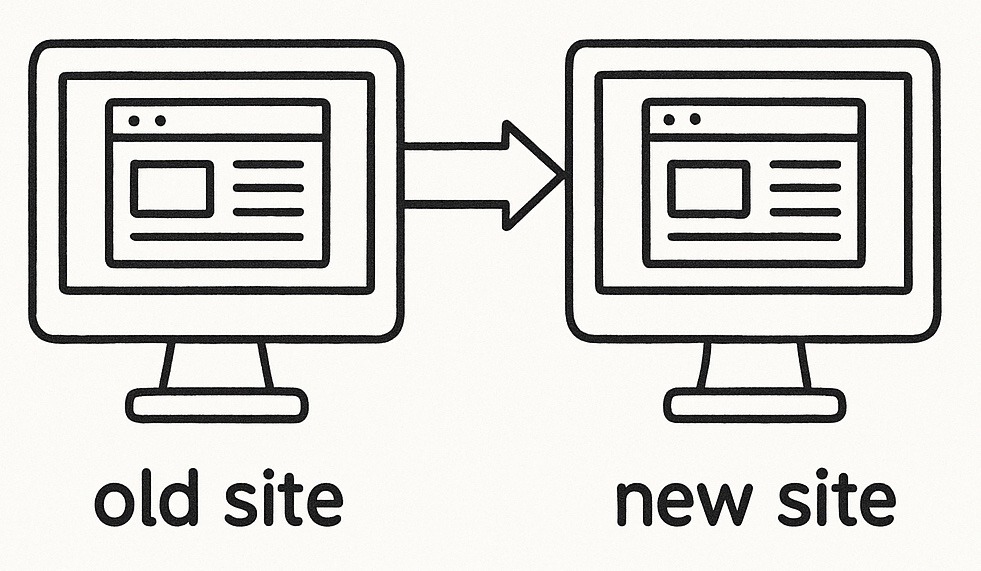
If you are hosting your WordPress blog or website behind a reverse proxy under a different domain, you might experience a range of issues where internal links, canonical URLs, Open Graph metadata, JavaScript, CSS files, and other assets keep referring to the original WordPress subdomain. This may create problems for SEO, and can impact page speed performance, and consistency in the user experience.
In this guide, we’ll walk through the process of rewriting all WordPress-generated links dynamically, ensuring that your site properly reflects the reverse proxy domain.
Why Rewriting URLs is Necessary
When setting up a reverse proxy, WordPress will still generate URLs pointing to its original domain unless explicitly instructed otherwise. This leads to inconsistencies, such as:
- Canonical URLs and meta tags still pointing to the old domain.
- Open Graph and structured data referencing incorrect URLs.
- RSS Feeds pointing to the wrong domain.
- Hardcoded JavaScript and CSS file links breaking due to CORS issues.
- Navigation links, widgets, and internal post links not updating.
To resolve these, we need a global URL rewriting solution that modifies all links dynamically.
How to Build a WordPress Plugin to Rewrite URLs in Links
Instead of manually adjusting each template or modifying WordPress settings, we’ll use a custom WordPress plugin that automatically rewrites all URLs site-wide.
Steps to Create the Plugin
- Create a new PHP file: Name it
reverse-proxy-link-rewriter.php. - Add the following PHP code to rewrite all WordPress-generated links dynamically.
- Place the file in
/wp-content/plugins/.
The PHP Plugin Code
<?php
/**
 * Plugin Name: STRINGERSEO - Reverse Proxy Link Rewriter
 * Description: Rewrites all WordPress-generated links to point to the reverse proxy domain.
 * Version: 1.5
 * Author: Jonathan Stringer
 * License: GPL2
 */

if (!defined('ABSPATH')) exit; // Exit if accessed directly

// Define the reverse proxy domain and subdirectory (e.g., https://newdomain.com/blog)
define('REVERSE_PROXY_DOMAIN', rtrim('https://newdomain.com/blog', '/'));

/**
 * Get the base site URL without subdirectory duplication
 */
function get_base_site_url() {
    return rtrim(parse_url(get_site_url(), PHP_URL_SCHEME) . '://' . parse_url(get_site_url(), PHP_URL_HOST) . parse_url(get_site_url(), PHP_URL_PATH), '/');
}

/**
 * Replace only the base domain, ensuring the subdirectory is included
 */
function safe_url_replace($content) {
    $base_site_url = get_base_site_url();
    $pattern = '#\b' . preg_quote($base_site_url, '#') . '\b#';
    return preg_replace($pattern, REVERSE_PROXY_DOMAIN, $content, 1);
}

/**
 * Rewrites URLs in the <head> section (canonical, Open Graph, etc.)
 */
function modify_meta_tags() {
    ob_start();
}
function replace_meta_tags() {
    $content = ob_get_clean();
    echo safe_url_replace($content);
}
add_action('wp_head', 'modify_meta_tags', 0);
add_action('wp_head', 'replace_meta_tags', PHP_INT_MAX);

/**
 * Rewrite URLs in content, menus, and widgets
 */
function rewrite_internal_links($content) {
    return safe_url_replace($content);
}
add_filter('the_content', 'rewrite_internal_links');
add_filter('wp_nav_menu', 'rewrite_internal_links');
add_filter('widget_text', 'rewrite_internal_links');

/**
 * Rewrite asset URLs (CSS, JS, images)
 */
function modify_theme_urls($url) {
    return safe_url_replace($url);
}
add_filter('template_directory_uri', 'modify_theme_urls');
add_filter('stylesheet_directory_uri', 'modify_theme_urls');
add_filter('script_loader_src', 'modify_theme_urls');
add_filter('style_loader_src', 'modify_theme_urls');
add_filter('wp_get_attachment_url', 'modify_theme_urls');

/**
 * Modify frontend links dynamically using JavaScript
 */
function modify_links_script() {
    echo '<script>
    document.addEventListener("DOMContentLoaded", function() {
        var proxyDomain = "' . REVERSE_PROXY_DOMAIN . '";
        var baseSiteUrl = "' . get_base_site_url() . '";
        document.querySelectorAll("a, link[rel=stylesheet], script, meta[property=\"og:url\"], link[rel=alternate]").forEach(function(element) {
            if (element.href && element.href.startsWith(baseSiteUrl)) {
                element.href = element.href.replace(baseSiteUrl, proxyDomain);
            }
            if (element.src && element.src.startsWith(baseSiteUrl)) {
                element.src = element.src.replace(baseSiteUrl, proxyDomain);
            }
            if (element.getAttribute("content") && element.getAttribute("content").startsWith(baseSiteUrl)) {
                element.setAttribute("content", element.getAttribute("content").replace(baseSiteUrl, proxyDomain));
            }
        });
    });
    </script>';
}
add_action('wp_footer', 'modify_links_script');

/**
 * Rewrite all scripts in body tags
 */
function buffer_body_scripts_start() {
    ob_start();
}
function buffer_body_scripts_end() {
    $content = ob_get_clean();
    echo safe_url_replace($content);
}
add_action('wp_body_open', 'buffer_body_scripts_start', 0);
add_action('wp_footer', 'buffer_body_scripts_end', PHP_INT_MAX);

/**
 * Modify links in block templates (e.g., post template, navigation block, etc.)
 */
function rewrite_block_content($block_content, $block) {
    if (!empty($block_content)) {
        return safe_url_replace($block_content);
    }
    return $block_content;
}
add_filter('render_block', 'rewrite_block_content', 10, 2);

/**
 * Ensure navigation block links are rewritten
 */
function rewrite_navigation_links($parsed_block, $source_block) {
    if (isset($parsed_block['attrs']['url'])) {
        $parsed_block['attrs']['url'] = safe_url_replace($parsed_block['attrs']['url']);
    }
    return $parsed_block;
}
add_filter('render_block_core/navigation-link', 'rewrite_navigation_links', 10, 2);
Final Steps
- Activate the plugin in the WordPress dashboard under Plugins.
- Verify the changes by viewing the page source (
view-source:in browser).
Using this method, all internal WordPress-generated links, including meta tags, scripts, styles, and structured data, will point to the reverse proxy domain. This ensures a seamless and consistent user experience while helping to maintain SEO.